Native Shopify checkout
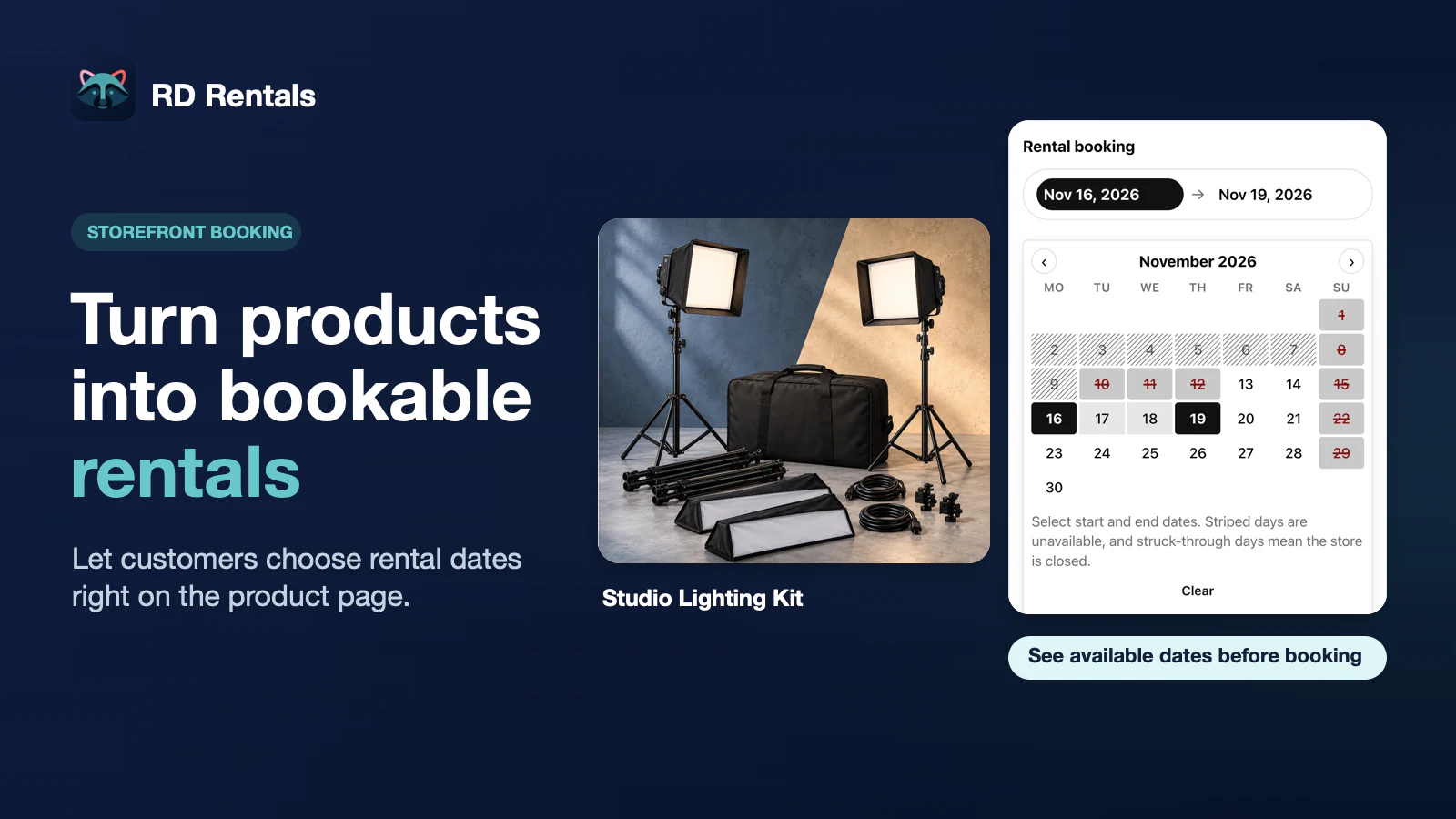
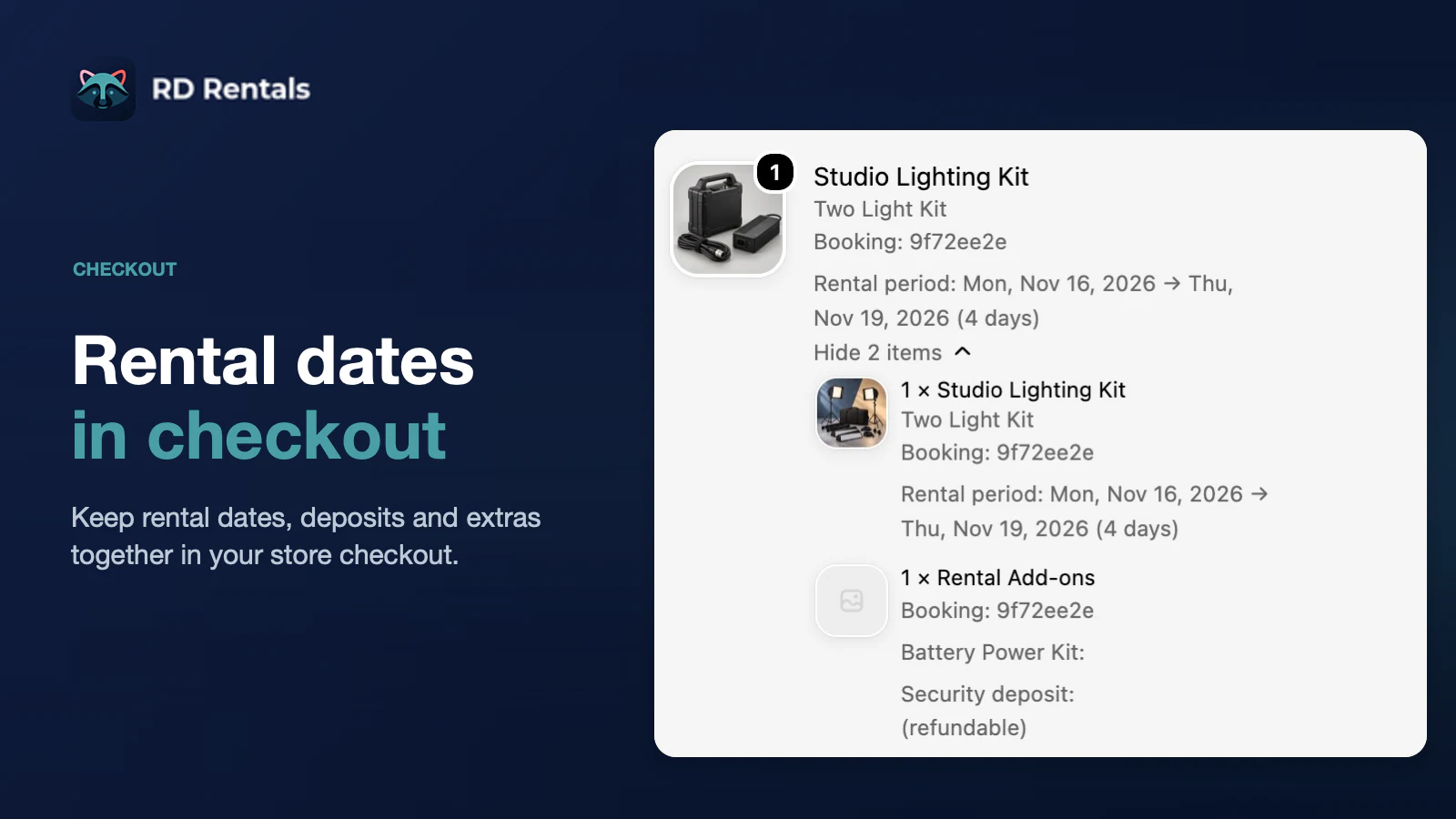
Rent catalog products with a date pick on the product page. Customers pay through native Shopify checkout, with dates and pricing on the order line items.


Rent catalog products with a date pick on the product page. Customers see availability, add to cart, and pay through native Shopify checkout.
Opens the RD Rentals listing in the Shopify App Store. After install, launch the app from Shopify admin.
Features
Product-page calendar, day-range pricing, deposits, blackouts, and bookings through return: built for rental workflows inside Shopify admin and native checkout.
Rent catalog products with a date pick on the product page. Customers pay through native Shopify checkout, with dates and pricing on the order line items.
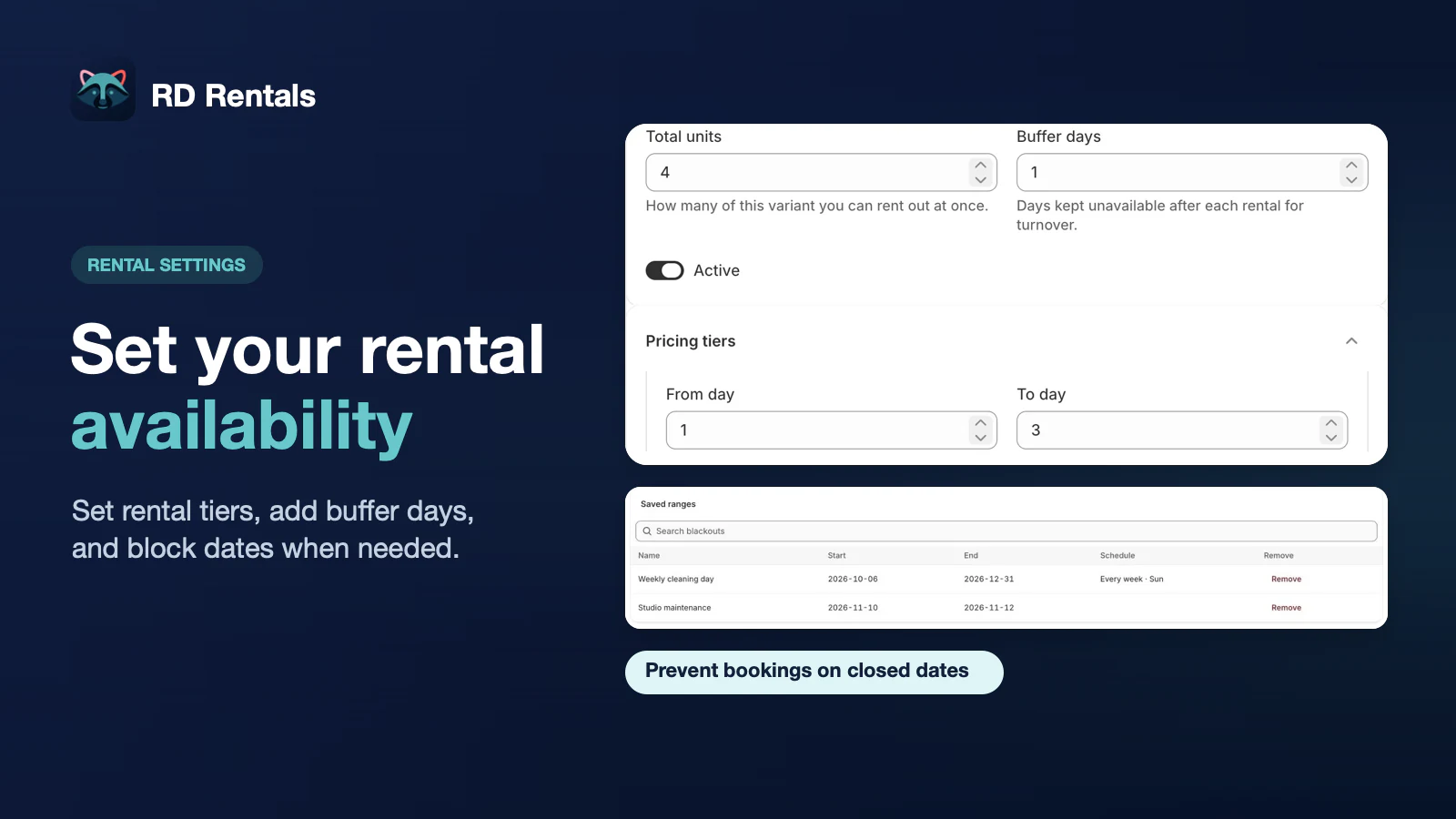
Set Total units per rental variant, close the shop with blackouts, and add buffer days after each return so cleaning and turnaround stay off the calendar.
Charge a daily rent and discount longer bookings with day-range tiers (fixed or percent of base), so weekly or monthly stays can cost less per day.
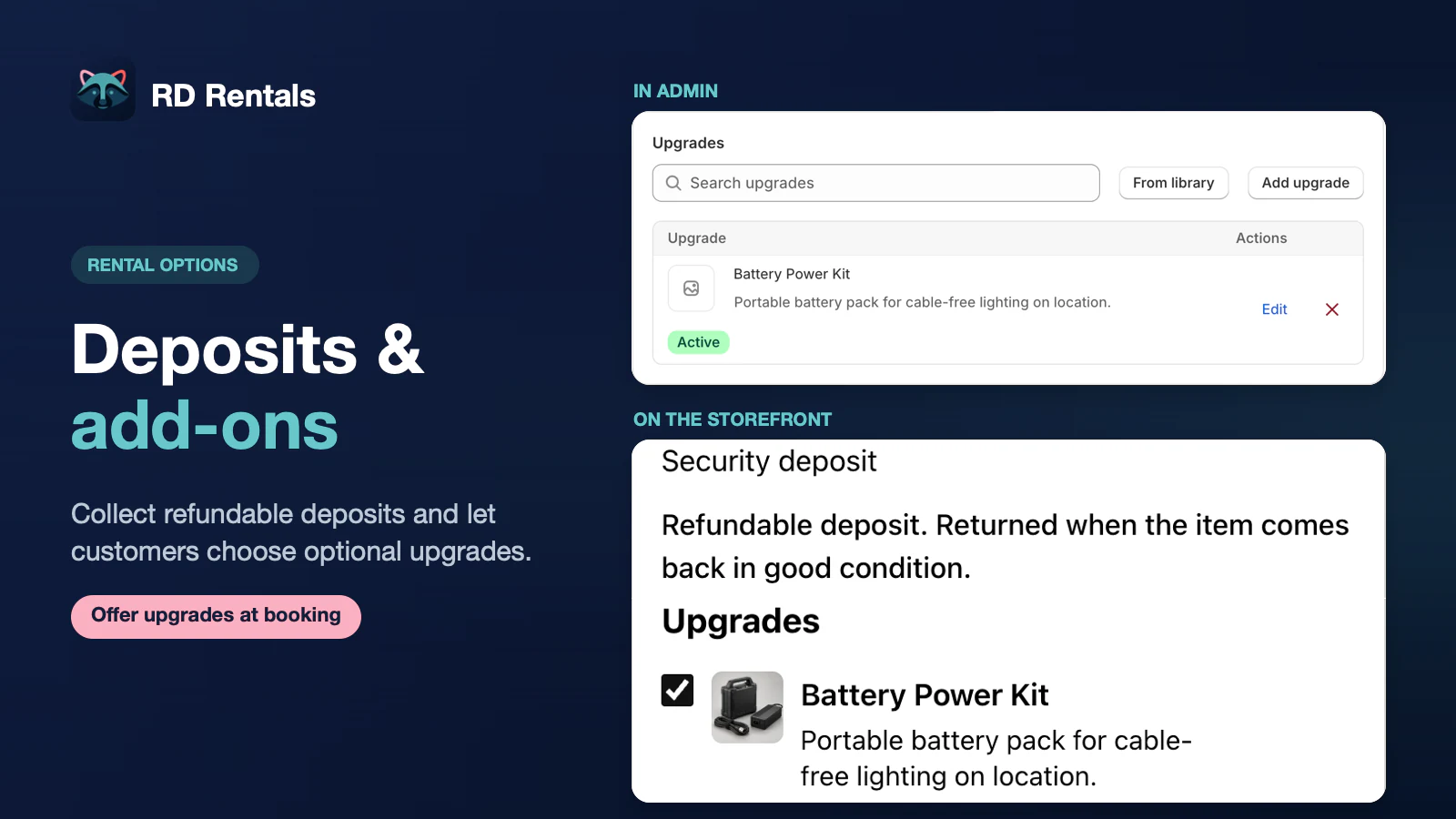
Charge a refundable security deposit and optional upgrades (extras) in the same rental checkout, kept separate from the rental fee.
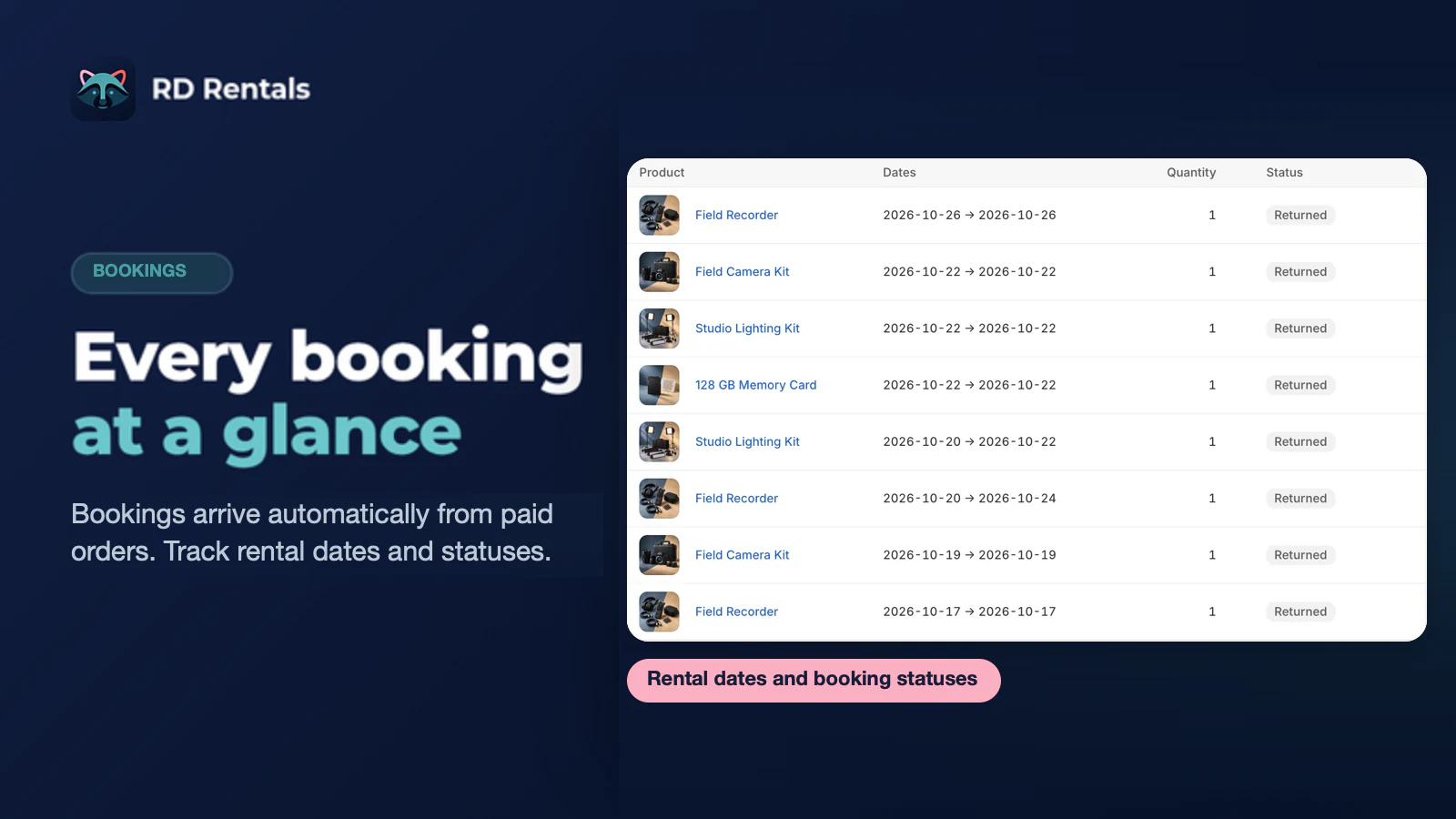
Track every rental from hold to return in Shopify admin. Mark returned early to free the calendar, and get Needs attention when dates can no longer be booked.
How it works
RD Rentals keeps the full workflow inside Shopify admin: configure your rental products, embed the calendar on your storefront, and manage bookings from a single dashboard.
Mark Shopify products as rentals, set a daily rent with optional day-range tiers for weekly or monthly discounts, choose how many units of each variant you can rent out, and add buffer days for turnaround.
Product settings are saved for repeated use.
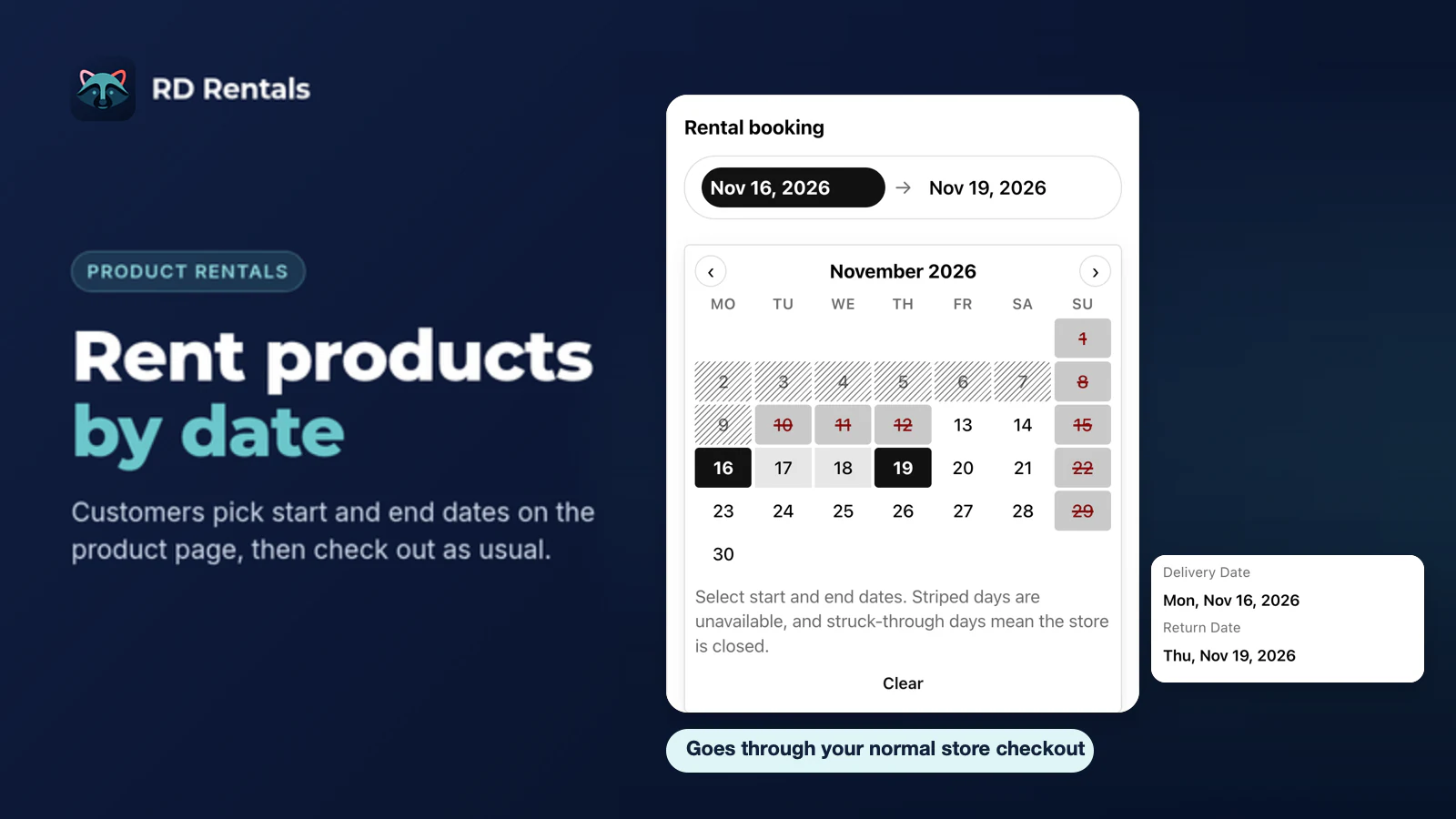
Turn on the RD Rentals storefront app embed, or place the Rental calendar block on your product pages. Customers select start and end dates, see real-time availability, and add rentals to cart.
No code changes needed: one switch in the theme editor.
Track bookings from hold to return, cancel when needed, mark returned to free the calendar, and watch Needs attention when dates can no longer be booked.
Payment and fulfillment status stay on each booking.
Pricing
No monthly fees. First 10 paid rental orders each month are free. After that, $0.50 per paid rental order. Billing stays in Shopify.
$0
no monthly fee, $0.50 per paid rental order after 10 free each month
RD Rentals costs $7.50 in a typical month, $25.00 in your busiest month and $0.00 in your quietest month.
| App | Plan you would need | Per year |
|---|---|---|
| RD Rentals | No monthly fee | $110.00 |
| Product Rentals Pro | Growth, $49.95 a month | $599.40 |
| FlexCon | Growth, $19.99 a month | $239.88 |
| Rental Suite | Standard, $17.50 a month | $210.00 |
| RentalFlow | Pro, $39.00 a month | $468.00 |
How this is worked out: RD Rentals costs $0.50 for each paid rental order after the first 10 in a month. A monthly plan is billed every month, so each app shows the cheapest plan that covers your busiest month, times 12. Plans from each app's Shopify App Store listing, checked 5 November 2026.
Guides
Practical guides for setup, availability, deposits, and rental businesses like dress rental.
Add accessories, cleaning fees, and damage-protection fees to Shopify rentals with RD Rentals, and see exactly how they show up at checkout.
A fair 2026 comparison of Shopify rental apps, including RD Rentals, with dated App Store prices, what each plan meters, deposits, and cost by volume.
When RD Rentals beats Product Rentals Pro, FlexCon, or Rentshelf: quiet/typical/busy month prices and an honest feature table.
What Shopify rental apps cost at 10 to 200 rentals a month, when paying per order beats a monthly plan, and a calculator for your own busy and quiet months.
Step-by-step guide to running dress rentals on Shopify: rental dates, cleaning buffers, refundable deposits and pricing tiers, all in native Shopify checkout.
Turn Shopify products into date-based rentals: daily rates, units, buffer days, deposits, and a booking calendar on the product page, step by step.
How rental availability works in RD Rentals: total units, buffer days for turnaround, unpaid holds, returns, and blackout dates for store closures.
How refundable security deposits work for Shopify rentals with RD Rentals, how to refund them, and what to put in a clear damage and deposit policy.
FAQ
Quick answers about installation, bookings, pricing, and data.
Install RD Rentals from the Shopify App Store or your Partner invite link. After OAuth completes, open the app from Shopify admin. We never ask you to type a .myshopify.com domain during install.
Turn on the RD Rentals storefront app embed once in your theme editor, and the booking calendar appears on your rental product pages automatically, with no theme code changes. If you want it in a specific spot, place the optional Rental calendar block. Customers select start and end dates, see real-time availability, and add the rental to their cart with the correct date range and pricing.
Customers pay in native Shopify checkout. RD Rentals uses Shopify's Cart Transform function to pass rental dates, deposits, and upgrades into the order line items. There is no separate booking checkout.
Orders with pending, authorized, or partially paid payment create bookings marked Awaiting payment. Those holds block the rental dates but do not bill and do not count toward the free tier. When the order is paid, the same bookings confirm in place. A hold is released if the order is cancelled, the payment is voided or expires, or the hold window ends.
Confirmed bookings move to Active when you fulfill the order in Shopify or mark it as delivered. When the item is back, choose Mark returned on the booking to free the calendar (including early returns). Returned and cancelled bookings stay as they are.
RD Rentals does not create a booking that would overbook or fall on a blackout. The Shopify order is unchanged. The line appears under Bookings, Needs attention, with an order tag and note. When email is configured, the store contact gets one alert for that order.
Yes. RD Rentals writes app-owned order metafields for rental_start and rental_end. They are merchant-readable and filterable in the Shopify Orders list so you can find rentals by date range.
Yes. Each rental variant has its own Buffer days setting. Buffer days are added after each rental ends, and the calendar keeps those days unavailable to give you time for cleaning, maintenance, or preparation. The Booking buffer in Settings (in minutes) is the starting value for new rental products and rounds up to whole days, so any value above zero gives new variants 1 buffer day.
RD Rentals uses usage-based pricing. There is no monthly subscription fee. First 10 paid rental orders each month are free. After that, $0.50 per paid rental order. Unpaid holds never bill. Billing is handled entirely through Shopify and appears on your Shopify invoice.
RD Rentals requests read/write access to products (to manage rental configuration), orders (to track bookings), and files (to serve the calendar widget). We use the minimum scopes required to run the service.
We process mandatory GDPR webhooks from Shopify. Retained data is purged on a schedule after uninstall. Your booking history and configuration are cleaned up automatically.
Use Contact Us in the header, or Support chat in the footer, to open our Crisp chat. You can also email [email protected] for account or partnership questions.
Install RD Rentals from Shopify, configure your first rental product, and embed the booking calendar on your product pages. Questions? Our support chat is one click away.